Places
TL;DR
Your map displays all your places. Click on any place to view details and interact with it.
Your map displays all places you've added as Points of Interest using bubbles. When many places are close together, they automatically cluster until you zoom in for a clearer view.
Bubble border color
The place bubble border color matches its category color. You can customize category colors through settings (Categories)

Places on the Map
Interacting with Places
Click on any place bubble to view its details. The action bar provides the following options:
- Open directions to the place if it has coordinates
- Fly to place
- Display GPX trace (if the place includes a GPX file)
- Mark as visited (toggles visibility by default, marks the place as done)
- Mark as favorite (adds a star icon to the bubble)
- Delete the place
- Edit the place
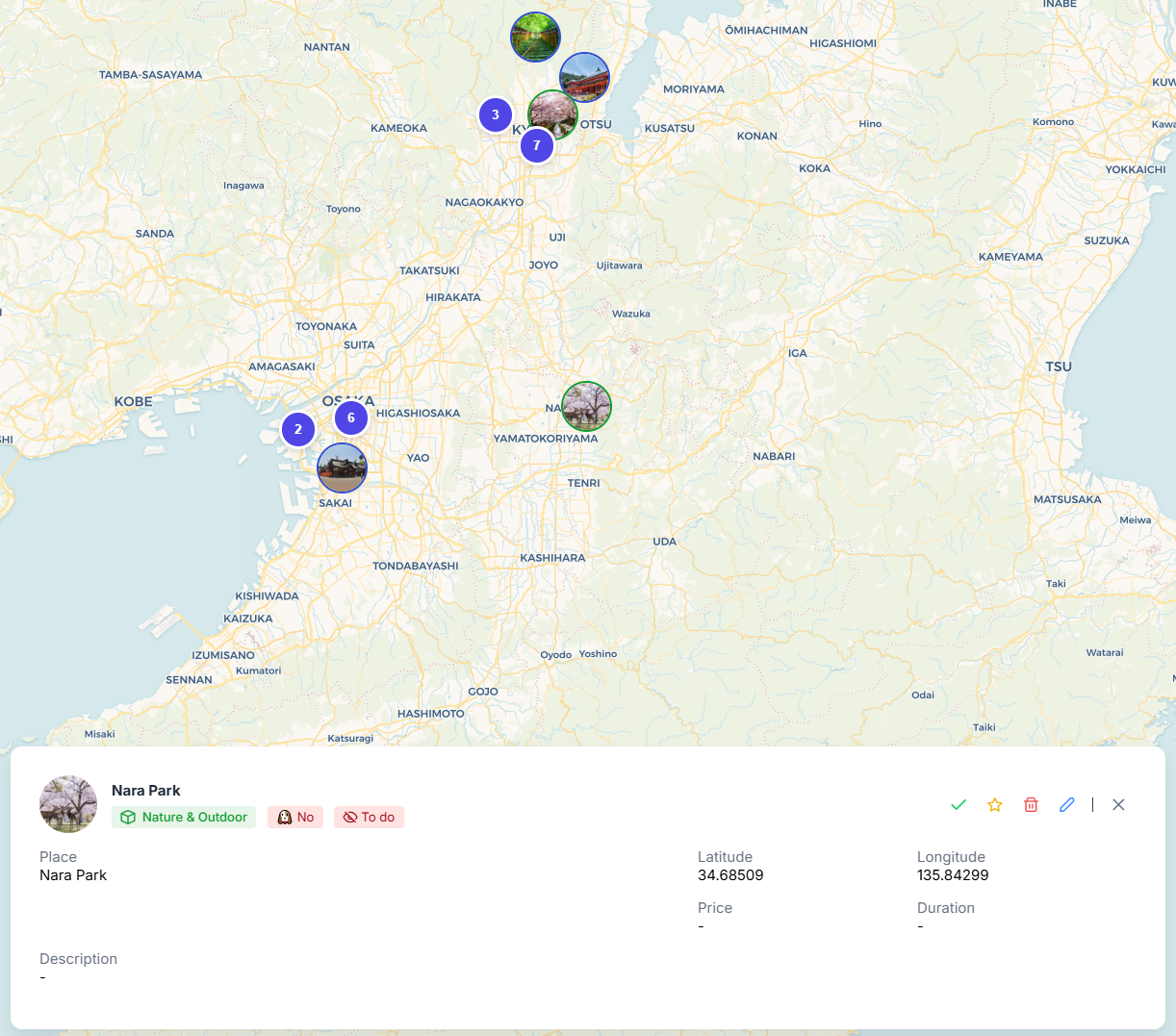
Places details on click
important
You can compute the route between two places by clicking on the first (departure) and right-clicking on any other (destination)
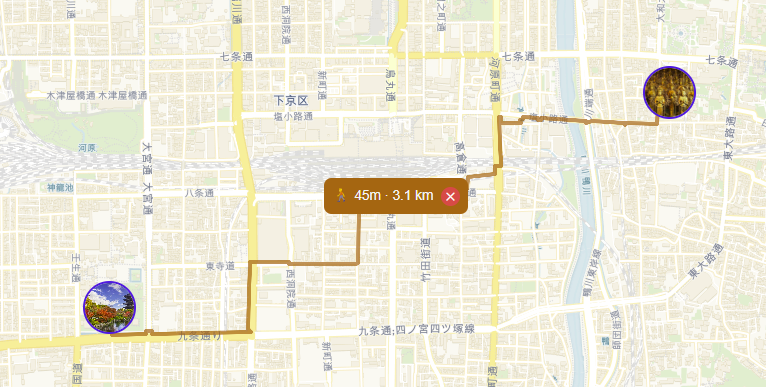
Route computed between places